<?xml version="1.0" encoding="utf-8"?><feed xmlns="http://www.w3.org/2005/Atom" ><generator uri="https://jekyllrb.com/" version="4.4.1">Jekyll</generator><link href="https://aaronarich.com/feed.xml" rel="self" type="application/atom+xml" /><link href="https://aaronarich.com/" rel="alternate" type="text/html" /><updated>2026-03-04T17:36:03+00:00</updated><id>https://aaronarich.com/feed.xml</id><title type="html">Aaron A. Rich</title><subtitle>Front-End Developer working in Atlanta, GA - Specializing in building websites and consulting for small businesses.</subtitle><author><name>Aaron A. Rich</name></author><entry><title type="html">Stock Stickler (A Proof of Concept)</title><link href="https://aaronarich.com/posts/2017/09/stock-stickler/" rel="alternate" type="text/html" title="Stock Stickler (A Proof of Concept)" /><published>2017-09-25T00:00:00+00:00</published><updated>2017-09-25T00:00:00+00:00</updated><id>https://aaronarich.com/posts/2017/09/stock-stickler</id><content type="html" xml:base="https://aaronarich.com/posts/2017/09/stock-stickler/"><![CDATA[<p>This is a proof-of-concept for a simple app that can pull in live Stock Market JSON data.</p>

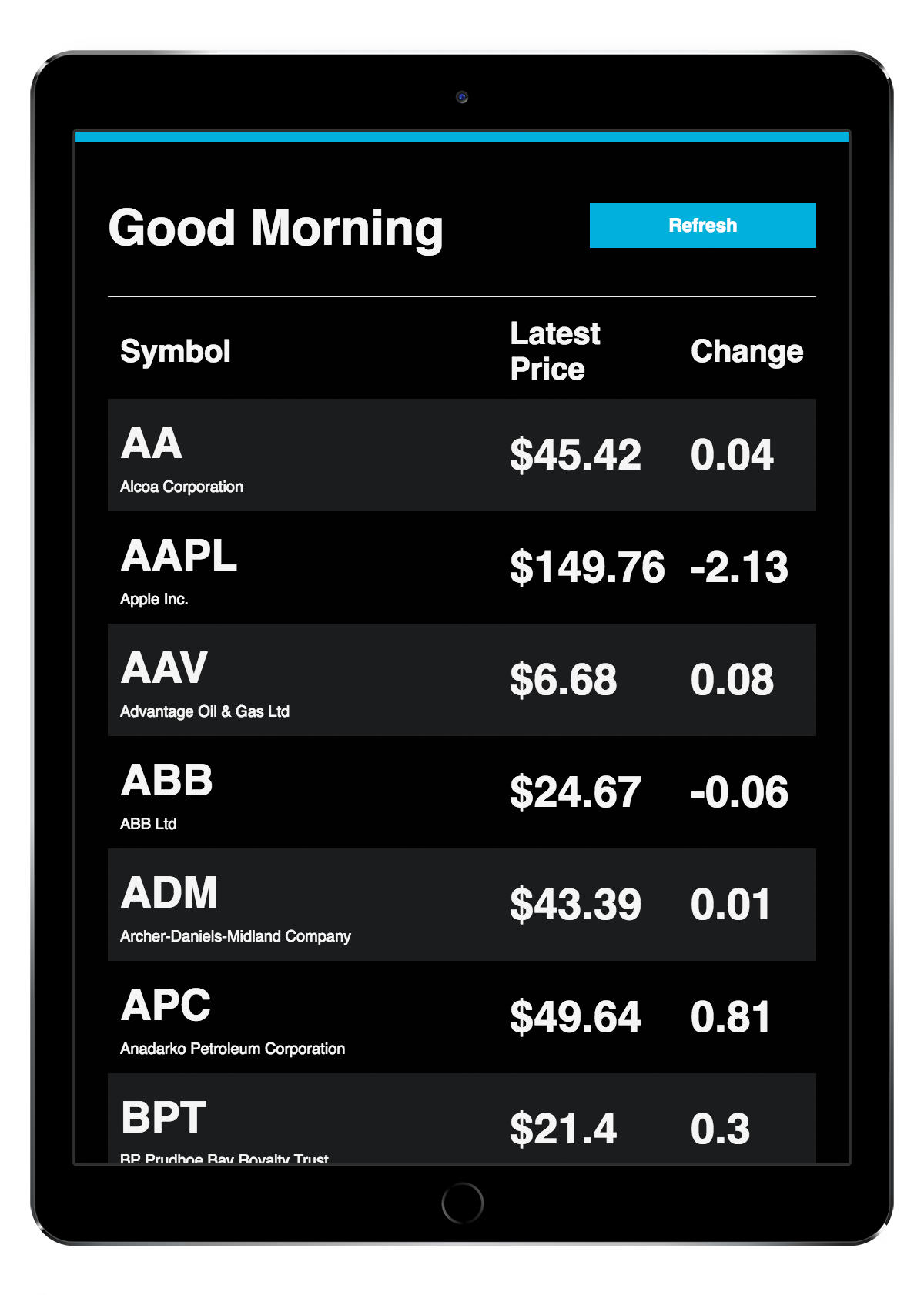
<p>I created this over the weekend as a way of solving an issue for my Grandmother. Her use case is that she’s 92, has poor eyesight, and loves checking her stocks. She used to do this over the phone several times per day, but after receiving an iPad she prefers to check them out in real-time online.</p>

<p>While the native iOS app that ships on iPhones would be the perfect candidate for simply checking stock prices, it doesn’t ship on iPads. We found one or two different Stock Portfolio apps that do provide the values and changes, but they weren’t great and also weren’t actively maintained by their developers. Other stock apps on the App Store tend to be distributed by financial companies and provide portfolio management tools (read: overkill).</p>

<p>For lack of a better option, I decided to create this web app as a proof-of-concept that I could pull market data in real-time and present it in a large-type display that looks great on iPad. Thanks to the code <a href="https://github.com/aaronarich/stock-stickler/blob/20e117267cfff8e9b0abee411e28765950e7b9aa/source/layouts/layout.erb#L9-L11">here</a>, the app can be saved to the home screen and then appear as a standalone faux-app. The app can then be opened in a headless instance of Safari, which helps streamline the display and prevent clicking on buttons/options that are not related.</p>

<p>While this does require me to update and deploy changes to her portfolio manually, it also puts the power in my hands to adjust things to her liking from afar, as she lives in Asheville. I can then deploy my changes without needing to walk her through how to go to the App Store and download a new version. This project will continue to see improvements as I hope to add new features in the future.</p>

<p><img alt="Stock Stickler on iPad" src="https://aaronarich.com/assets/posts/stock-stickler/stock-stickler.png" class="w-100" /></p>

<ul>
  <li>See it live here <a href="https://stocks.aaronarich.com/">https://stocks.aaronarich.com/</a></li>
  <li>Source here <a href="https://github.com/aaronarich/stock-stickler">https://github.com/aaronarich/stock-stickler</a></li>
  <li>Data provided for free by <a href="https://iextrading.com/developer/">IEX Developer Platform</a></li>
</ul>]]></content><author><name>Aaron A. Rich</name></author><category term="posts" /><summary type="html"><![CDATA[This is a proof-of-concept for a simple app that can pull in live Stock Market JSON data.]]></summary></entry><entry><title type="html">Hello World</title><link href="https://aaronarich.com/posts/2017/09/hello-world/" rel="alternate" type="text/html" title="Hello World" /><published>2017-09-05T00:00:00+00:00</published><updated>2017-09-05T00:00:00+00:00</updated><id>https://aaronarich.com/posts/2017/09/hello-world</id><content type="html" xml:base="https://aaronarich.com/posts/2017/09/hello-world/"><![CDATA[<p>Welcome to the latest edition of my site, which just went live over Labor Day weekend! I’ve been hard at work gathering up projects to showcase, reiterating on layout design, and spending probably the most time deciding which platform/hosting I wanted to use. There’s a lot of things to consider when building any website, but it always seems to be a bit more challenging to me when deciding on these things for my personal work.</p>

<p>In the interest of sharing knowledge and process, I want to use this post to give insight into the tools I used to create this website. Enjoy!</p>

<h3 id="design">Design</h3>

<ul>
  <li>
    <p><strong><a href="https://www.sketchapp.com/">Sketch</a> -</strong> hands down one of the best and most streamlined user interface design tools. While I don’t coin myself as a product designer, I used Sketch’s layout and grid tools to mock-up ideas as they came to mind. I also used their Sketch Cloud feature to share some of my early concepts with friends and get feedback.</p>
  </li>
  <li>
    <p><strong><a href="https://www.goabstract.com/">Abstract</a> -</strong> this is a version control tool used in conjunction with Sketch. They launched their product just as I was beginning to learn Sketch, and I found it helpful for syncing my projects across my laptop and desktop. The branching feature was also great for wanting to create one-off explorations.</p>
  </li>
  <li>
    <p><strong><a href="https://skyfonts.com/">SkyFonts</a> -</strong> when deciding on typography for my site, I found that it’s a bit of a pain to download font-families to my local computer, import them, and then test them out in Sketch. SkyFonts addresses that problem directly by connecting the MacOS Font Book to Google Fonts, and a few other cloud-hosted font services. No more downloading, just pick the fonts you want to try out and they’re synced.</p>
  </li>
</ul>

<h3 id="development">Development</h3>

<ul>
  <li>
    <p><strong><a href="https://jekyllrb.com/">Jekyll</a> -</strong> I decided to go with Jekyll because I’m familiar with static site generators from my past work. Jekyll is pretty lightweight for building static pages, but it also has a blogging aspect to it (which I hope to utilize frequently). Jekyll not only has an intuitive setup process, but it also integrates directly with several cloud-based CMSs as well as hosting providers… more about that below.</p>
  </li>
  <li>
    <p><strong><a href="http://tachyons.io/">Tachyons CSS Framework</a> -</strong> it’s so satisfying to design on a grid and have a nice rhythm between text and page elements. I’ve assembled my own grid layouts in the past, but for this site I wanted to use something more tested and robust. For that, I turned to Tachyons, developed in large part by <a href="https://github.com/mrmrs">Adam Morse</a>. There’s also a SASS-specific fork of the project which I used in my Jekyll site. You can find that here on <a href="https://github.com/tachyons-css/tachyons-sass">Github</a>.</p>
  </li>
  <li>
    <p><strong><a href="https://fonts.google.com/specimen/Roboto">Google Fonts, Roboto</a> -</strong> I decided to go with one of my favorite sans-serif font family seen on the web today, Roboto. This font was designed by <a href="http://christianrobertson.com/">Christian Robertson</a> and is served through Google Fonts.</p>
  </li>
  <li>
    <p><strong><a href="https://atom.io/">Atom</a> -</strong> I switched from Sublime Text to Atom a couple of years ago. For the most part, the text-editing aspect is largely the same (in my opinion), but the advantages that I’ve found from using Atom are largely the features and availability of packages built by the community. A few of the packages I use the most are the built in Git client, <a href="https://atom.io/packages/atom-spotify">Atom-Spotify</a>, and Markdown preview pane.</p>
  </li>
</ul>

<h3 id="hosting--deployment">Hosting &amp; Deployment</h3>

<ul>
  <li>
    <p><strong><a href="https://surge.sh/">Surge</a> -</strong> early on in the development process, I used Surge as a quick and easy staging server. It’s a free service hosted on Digital Ocean that provides quirky one-off URLs (like Heroku) or the ability to use custom domains for the sites you deply. I currently have my DNS pointing <a href="dev.aaronarich.com">dev.aaronarich.com</a> to Surge for staging projects. The deployment and teardown process is super simple and everything is handled from the CLI.</p>
  </li>
  <li>
    <p><strong><a href="https://pages.github.com/">GitHub Pages</a> -</strong> for production, I decided to host this site on GitHub Pages. Since Jekyll was developed at GitHub, Pages can automatically build and deploy my site as I make commits directly to the repository. This is a great solution since static sites have to rebuild each time you make changes. Another great feature of Pages is that they host sites on Fastly’s CDN, which helps ensure faster page load times.</p>
  </li>
  <li>
    <p><strong><a href="https://www.cloudflare.com/">Cloudflare</a> -</strong> on top of my site being hosted on Fastly’s CDN, I’ve also implemented Cloudflare to sit in front of my site. Cloudflare provides numerous benefits including serving this site over HTTPS, serving it from their 117 global data centers, site cacheing to reduce origin server requests, and optimizing my site’s HTML/CSS/JS to reduce page load.  Also, they provide these services as part of their free plan. Thanks to Nate Steiner for his <a href="https://natesteiner.com/blog/free-static-hosting-with-https/">blog post</a> about setting this up 👍</p>
  </li>
  <li>
    <p><strong><a href="https://www.siteleaf.com/">Siteleaf</a> -</strong> as I mentioned above in the Jekyll section, there are a few cloud-based content management systems available for Jekyll. The one I’ve chosen to go with is Siteleaf. They provide a CMS in the cloud so that my site can be edited from anywhere, not just from my text editor. When you set up a site in Siteleaf, it connects to and syncs with a GitHub repository automatically. This allows me to make changes or write new posts there, and then have them sync as commits to GitHub. Once the commit syncs, GitHub Pages detects the change and automatically rebuilds the site and deploys it.</p>
  </li>
</ul>

<p>That pretty much covers it for Version 1.0 now that it’s up and running. My goal from here is to keep updating this site with new posts, projects, insights, and even the design itself. I might even add a signup form for getting updates as they roll out, who knows! If you have any questions about anything I mentioned here, feel free to tweet/message me <a href="https://twitter.com/aaronarich">@aaronarich</a>. Thanks for taking the time to read this!</p>]]></content><author><name>Aaron A. Rich</name></author><category term="posts" /><summary type="html"><![CDATA[Welcome to the latest edition of my site, which just went live over Labor Day weekend! I’ve been hard at work gathering up projects to showcase, reiterating on layout design, and spending probably the most time deciding which platform/hosting I wanted to use. There’s a lot of things to consider when building any website, but it always seems to be a bit more challenging to me when deciding on these things for my personal work.]]></summary></entry><entry><title type="html">Guide to Atlanta</title><link href="https://aaronarich.com/projects/mailchimp-atlanta/" rel="alternate" type="text/html" title="Guide to Atlanta" /><published>2017-08-27T00:00:00+00:00</published><updated>2017-08-27T00:00:00+00:00</updated><id>https://aaronarich.com/projects/mc-atlanta</id><content type="html" xml:base="https://aaronarich.com/projects/mailchimp-atlanta/"><![CDATA[<div class="fl w-100 w-25-l pt1">
  <dl class="lh-title mt0">
    <dt class="f6 b">Project Role</dt>
    <dd class="ml0">Developer</dd>

    <dt class="f6 b mt3">Art Direction</dt>
    <dd class="ml0"><a href="https://dribbble.com/MarcoSuarez">Marco Suarez</a></dd>

    <dt class="f6 b mt3">Design</dt>
    <dd class="ml0"><a href="http://davidsizemoredesign.com/">David Sizemore</a></dd>
  </dl>
</div>

<div class="fr w-100 w-75-l mb0-l mb3">
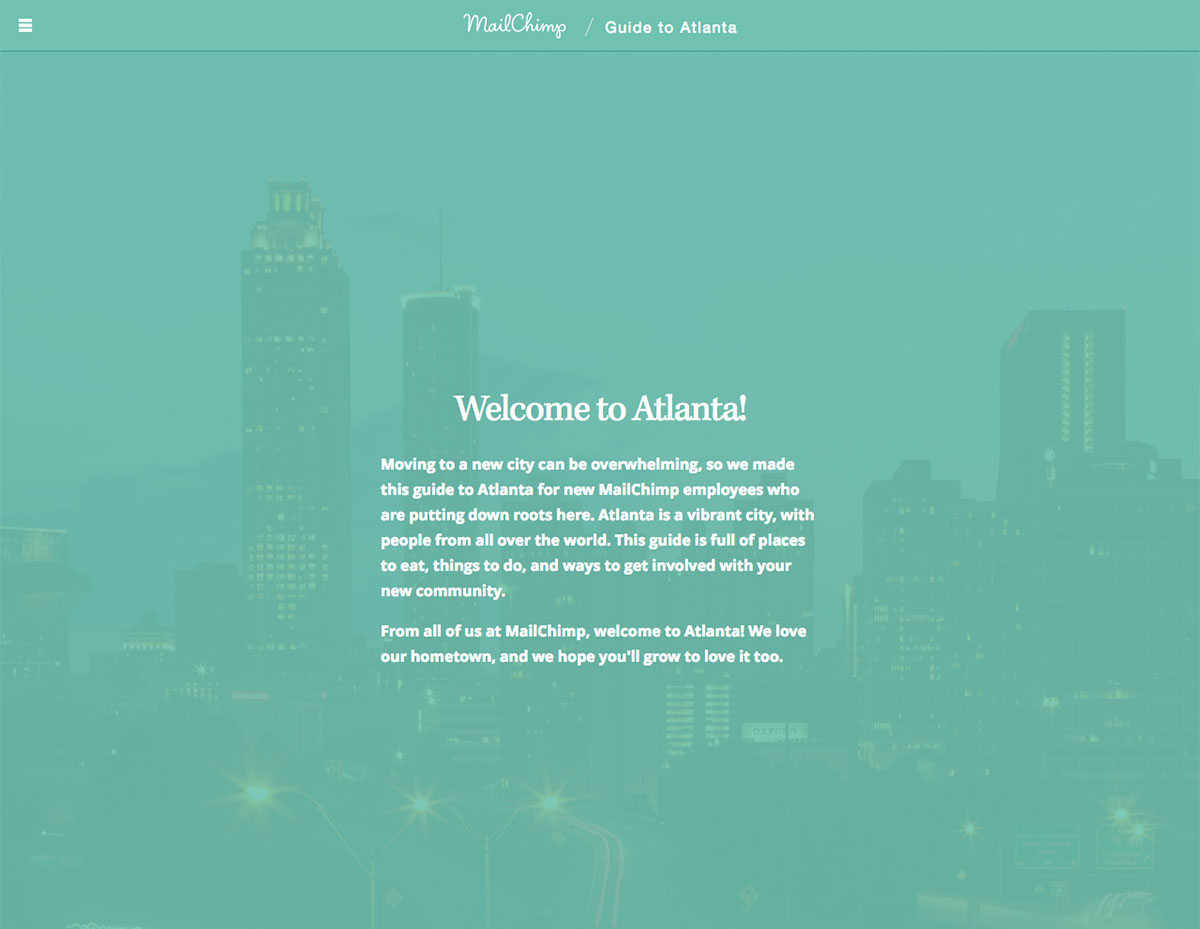
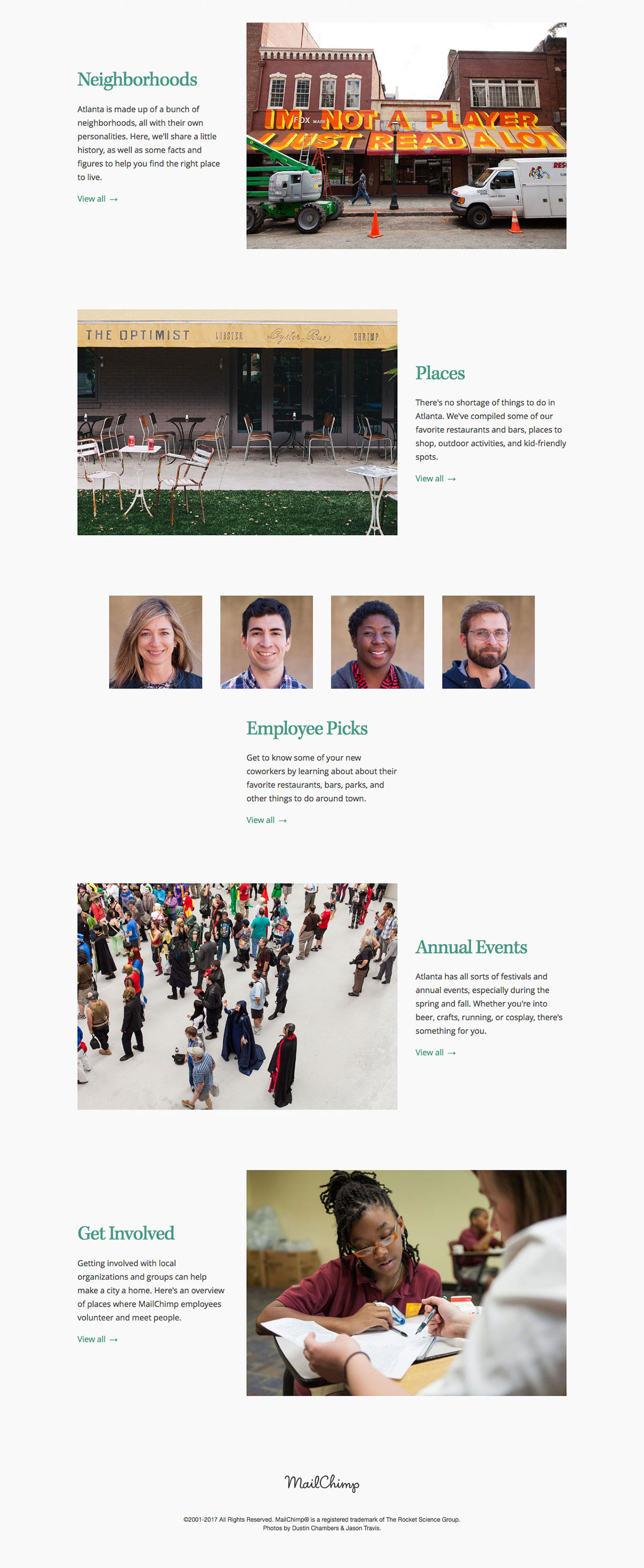
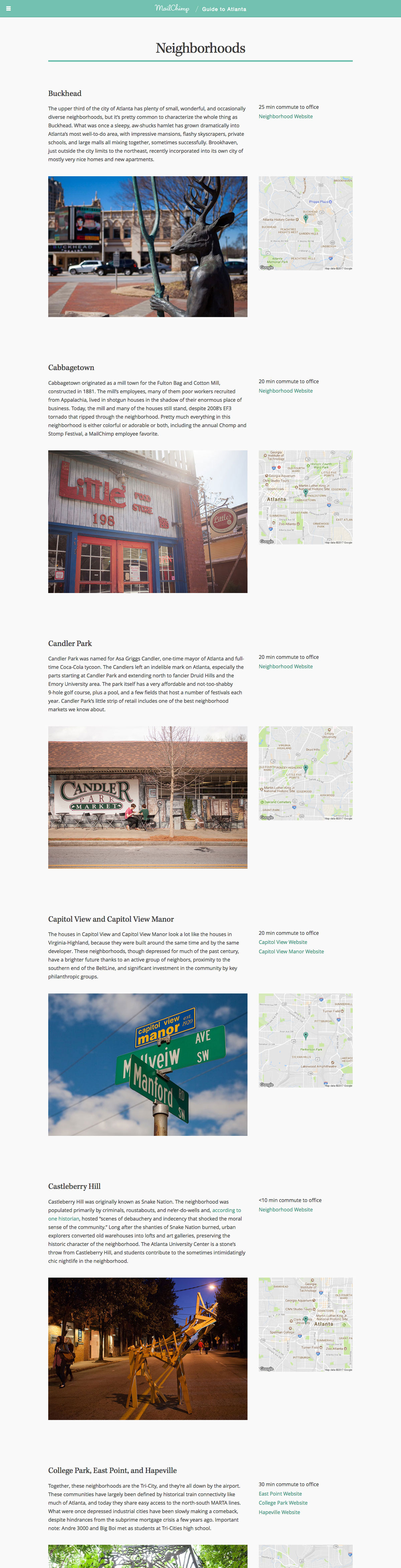
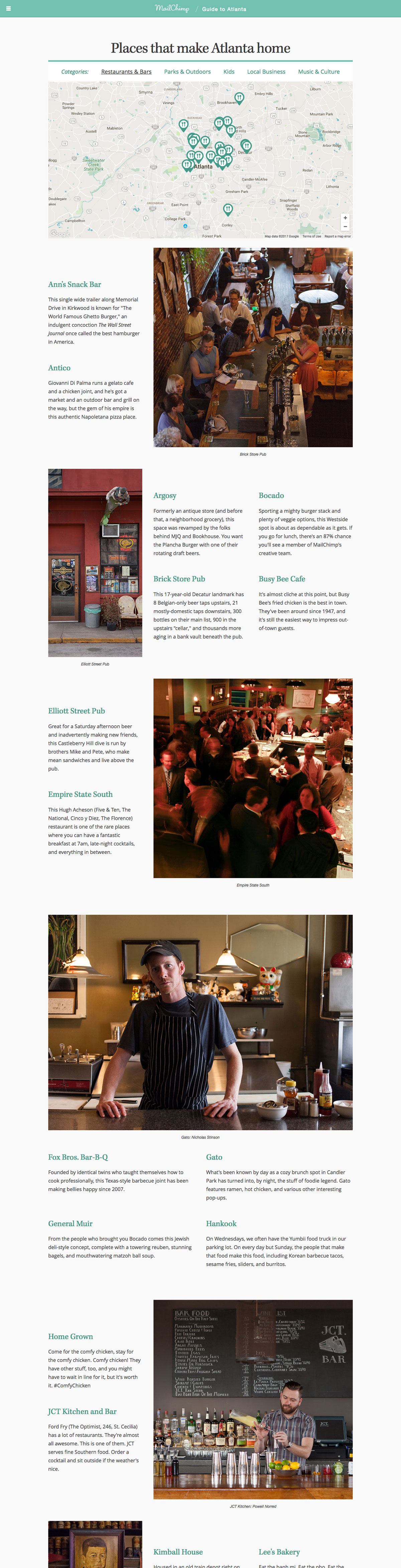
  This site was built as part of a MailChimp recruitment effort to attract talent from outside Atlanta. It provides a high level guide to in-town neighborhoods, annual events and attractions, volunteer opportunities, and employee recommendations for food/fun.
  <br />
  <br />
  <dl class="lh-title mv2">
    <dt class="dib b">Built with:</dt>
    <dd class="dib ml0">Middleman, HAML, SCSS, and JavaScript</dd>
  </dl>

  <dl class="lh-title mv2">
    <dt class="dib b">Link:</dt>
    <dd class="dib ml0"><a href="https://mailchimp.com/atlanta">mailchimp.com/atlanta</a></dd>
  </dl>  
</div>

<div class="fl pv3 pv3-ns">

  <div class="fl-ns w-100 mv3 browser">
    <img alt="Screenshot of the Guide to Atlanta website" src="https://aaronarich.com/assets/mc_atlanta/1.jpg" class="w-100" />
  </div>

</div>

<div class="fl pv3 pv3-ns">

  <div class="fl-ns w-100 w-100 mv3 browser">
    <img alt="Screenshot of the Guide to Atlanta website" src="https://aaronarich.com/assets/mc_atlanta/2.jpg" class="w-100" />
  </div>

</div>

<div class="fl pv3 pv3-ns">

  <div class="fl-ns w-100 w-100 mv3 browser">
    <img alt="Screenshot of the Guide to Atlanta website" src="https://aaronarich.com/assets/mc_atlanta/3.jpg" class="w-100" />
  </div>

</div>

<div class="fl pv3 pv3-ns">

  <div class="fl-ns w-100 w-100 mv3 browser">
    <img alt="Screenshot of the Guide to Atlanta website" src="https://aaronarich.com/assets/mc_atlanta/4.jpg" class="w-100" />
  </div>

</div>]]></content><author><name>Aaron A. Rich</name></author><category term="projects" /><summary type="html"><![CDATA[Project - MailChimp]]></summary></entry><entry><title type="html">Brand Assets</title><link href="https://aaronarich.com/projects/mailchimp-brand-assets/" rel="alternate" type="text/html" title="Brand Assets" /><published>2017-08-27T00:00:00+00:00</published><updated>2017-08-27T00:00:00+00:00</updated><id>https://aaronarich.com/projects/mc-brand-assets</id><content type="html" xml:base="https://aaronarich.com/projects/mailchimp-brand-assets/"><![CDATA[<div class="fl w-100 w-25-l pt1">
  <dl class="lh-title mt0">
    <dt class="f6 b">Project Role</dt>
    <dd class="ml0">Developer</dd>

    <dt class="f6 b mt3">Art Direction</dt>
    <dd class="ml0"><a href="https://dribbble.com/seriousron">Ron Lewis</a></dd>

    <dt class="f6 b mt3">Design</dt>
    <dd class="ml0"><a href="https://dribbble.com/justinpervorse">Justin Pervorse</a></dd>
  </dl>
</div>

<div class="fr w-100 w-75-l mb0-l mb3">
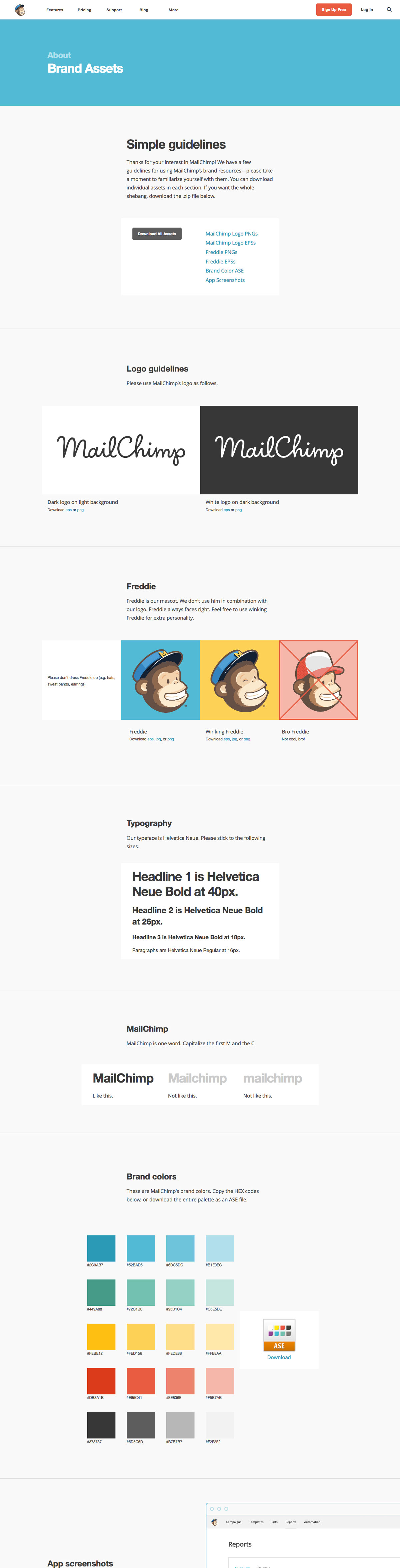
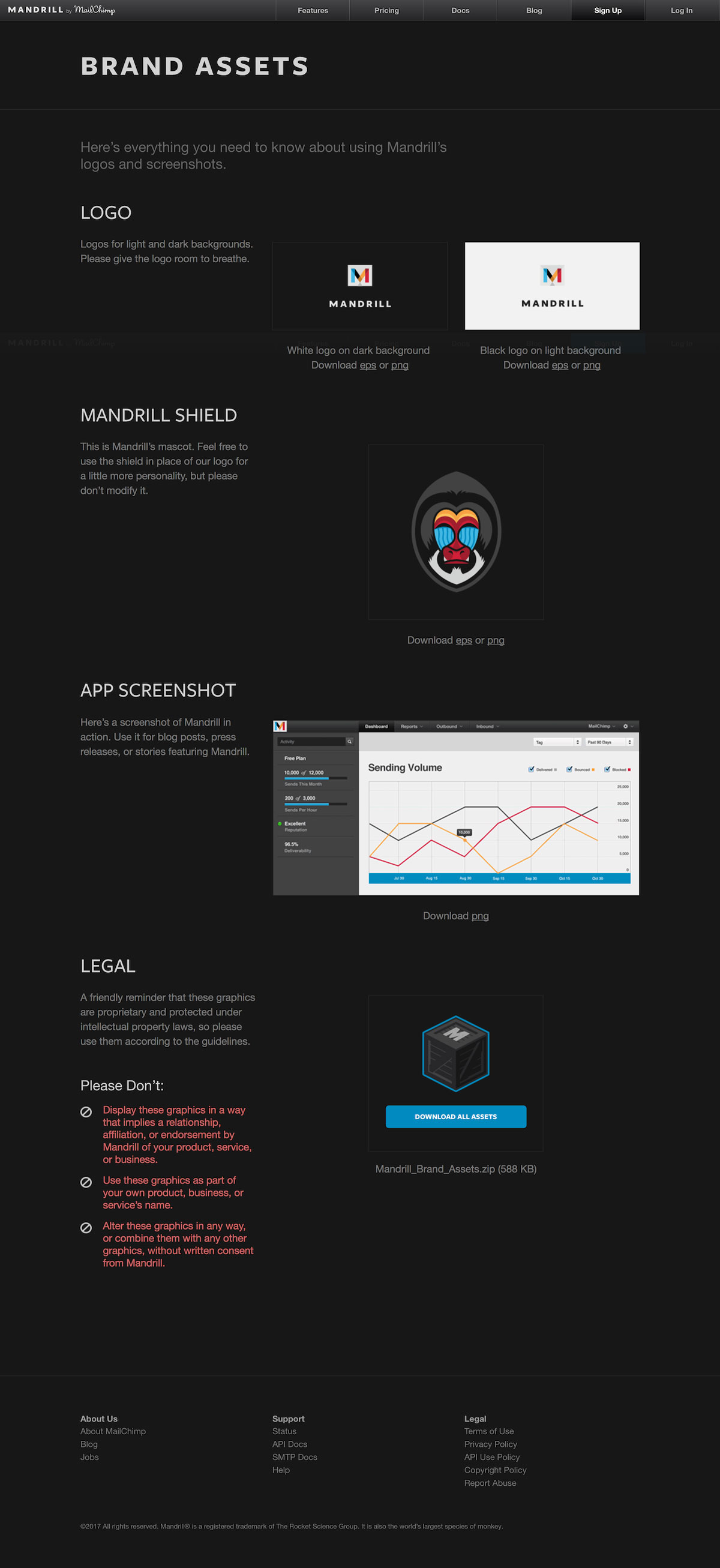
  This page was built to provide journalists, bloggers, and event managers with out most up to date branding resources (logos, colors, screenshots) and give them guidelines on how they can use our branding collateral on their websites and printed material.
  <br />
  <br />
  <dl class="lh-title mv2">
    <dt class="dib b">Built with:</dt>
    <dd class="dib ml0">Middleman, HAML, SCSS, and JavaScript</dd>
  </dl>

  <dl class="lh-title mv2">
    <dt class="dib b">Link:</dt>
    <dd class="dib ml0"><a href="https://mailchimp.com/about/brand-assets/">mailchimp.com/about/brand-assets</a> | <a href="https://mandrill.com/brand-assets/">mandrill.com/brand-assets</a></dd>
  </dl>
</div>

<div class="fl pv3 pv3-ns">

  <div class="fr-ns w-100 ml3-l mv3 browser">
    <img alt="Screenshot of the MailChimp brand assets website" src="https://aaronarich.com/assets/mc_brand_assets/1.jpg" class="w-100" />
  </div>

</div>

<div class="fl pv3 pv3-ns">

  <div class="fl-ns w-100 mv3 browser">
    <img alt="Screenshot of the Mandrill brand assets website" src="https://aaronarich.com/assets/mc_brand_assets/2.jpg" class="w-100" />
  </div>

</div>]]></content><author><name>Aaron A. Rich</name></author><category term="projects" /><summary type="html"><![CDATA[Project Collection - MailChimp]]></summary></entry><entry><title type="html">MailChimp Creative</title><link href="https://aaronarich.com/projects/mailchimp-creative/" rel="alternate" type="text/html" title="MailChimp Creative" /><published>2017-08-27T00:00:00+00:00</published><updated>2017-08-27T00:00:00+00:00</updated><id>https://aaronarich.com/projects/mc-creative</id><content type="html" xml:base="https://aaronarich.com/projects/mailchimp-creative/"><![CDATA[<div class="fl w-100 w-25-l pt1">
  <dl class="lh-title mt0">
    <dt class="f6 b">Project Role</dt>
    <dd class="ml0">Developer</dd>

    <dt class="f6 b mt3">Art Direction</dt>
    <dd class="ml0"><a href="https://dribbble.com/seriousron">Ron Lewis</a> &amp; <a href="http://davidsizemoredesign.com/">David Sizemore</a></dd>

    <dt class="f6 b mt3">Design</dt>
    <dd class="ml0"><a href="http://www.jasontravisphoto.com/">Jason Travis</a></dd>
  </dl>
</div>

<div class="fr w-100 w-75-l mb0-l mb3">
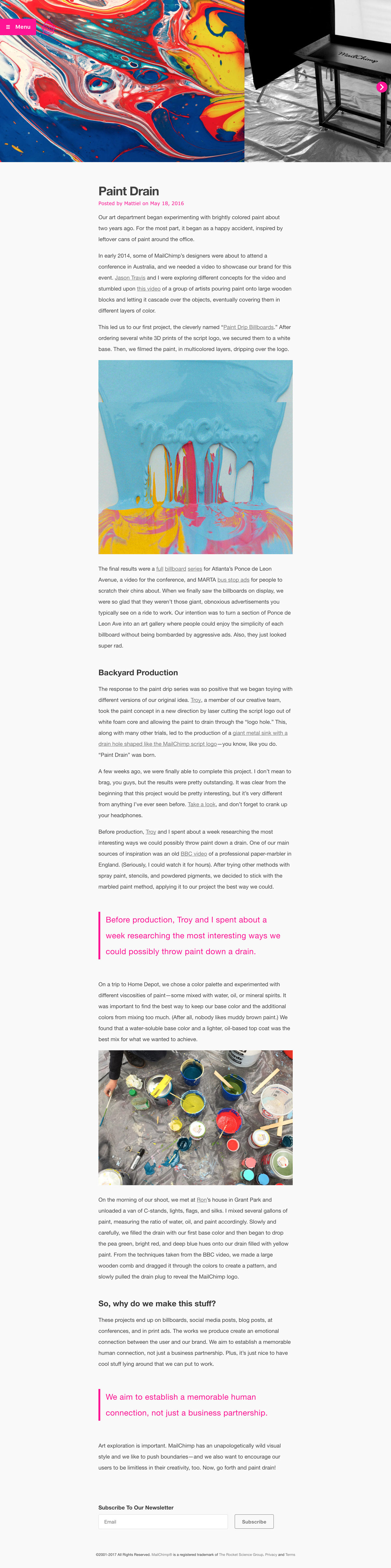
  Born out of the original <a href="http://web.archive.org/web/20121122235547/http://designlab.mailchimp.com:80/">DesignLab blog</a>, the MailChimp Creative blog serves as a gallery into the process behind some of the fun and quirky projects. This was my very first solo development projects as a junior developer, which I also had the chance to write about here: <a href="https://creative.mailchimp.com/on-building-this-blog/">https://creative.mailchimp.com/on-building-this-blog/</a>
  <br />
  <br />
  <dl class="lh-title mv2">
    <dt class="dib b">Built with:</dt>
    <dd class="dib ml0">WordPress, HAML, SCSS, PHP, and JavaScript</dd>
  </dl>

  <dl class="lh-title mv2">
    <dt class="dib b">Link:</dt>
    <dd class="dib ml0"><a href="https://creative.mailchimp.com/">creative.mailchimp.com</a></dd>
  </dl>
</div>

<div class="fl pv3 pv3-ns">

  <div class="fr-ns w-100 ml3-l mv3 browser">
    <img alt="Screenshot of the MailChimp Creative website" src="https://aaronarich.com/assets/mc_creative/1.jpg" class="w-100" />
  </div>

</div>

<div class="fl pv3 pv3-ns">

  <div class="fl-ns w-100 mv3 browser">
    <img alt="Screenshot of a flashy hover-state on the MailChimp Creative website" src="https://aaronarich.com/assets/mc_creative/2.gif" class="w-100" />
  </div>

</div>]]></content><author><name>Aaron A. Rich</name></author><category term="projects" /><summary type="html"><![CDATA[Project - MailChimp]]></summary></entry><entry><title type="html">Holiday Survey 2014</title><link href="https://aaronarich.com/projects/mailchimp-holiday-survey/" rel="alternate" type="text/html" title="Holiday Survey 2014" /><published>2017-08-27T00:00:00+00:00</published><updated>2017-08-27T00:00:00+00:00</updated><id>https://aaronarich.com/projects/mc-holiday</id><content type="html" xml:base="https://aaronarich.com/projects/mailchimp-holiday-survey/"><![CDATA[<div class="fl w-100 w-25-l pt1">
  <dl class="lh-title mt0">
    <dt class="f6 b">Project Role</dt>
    <dd class="ml0">Developer</dd>

    <dt class="f6 b mt3">Art Direction</dt>
    <dd class="ml0"><a href="http://davidsizemoredesign.com/">David Sizemore</a></dd>

    <dt class="f6 b mt3">Design</dt>
    <dd class="ml0"><a href="http://jane-song.com/">Jane Song</a></dd>
  </dl>
</div>

<div class="fr w-100 w-75-l mb0-l mb3">
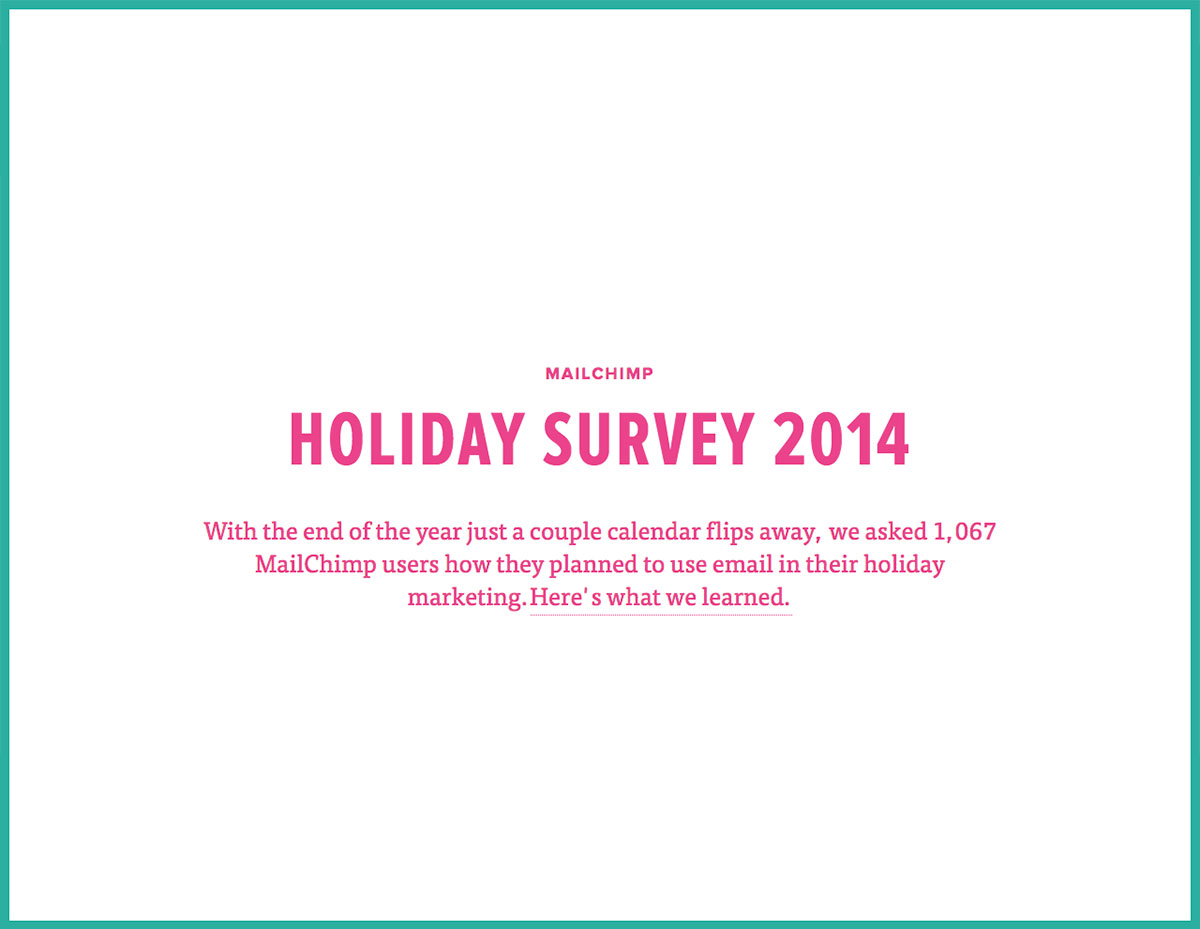
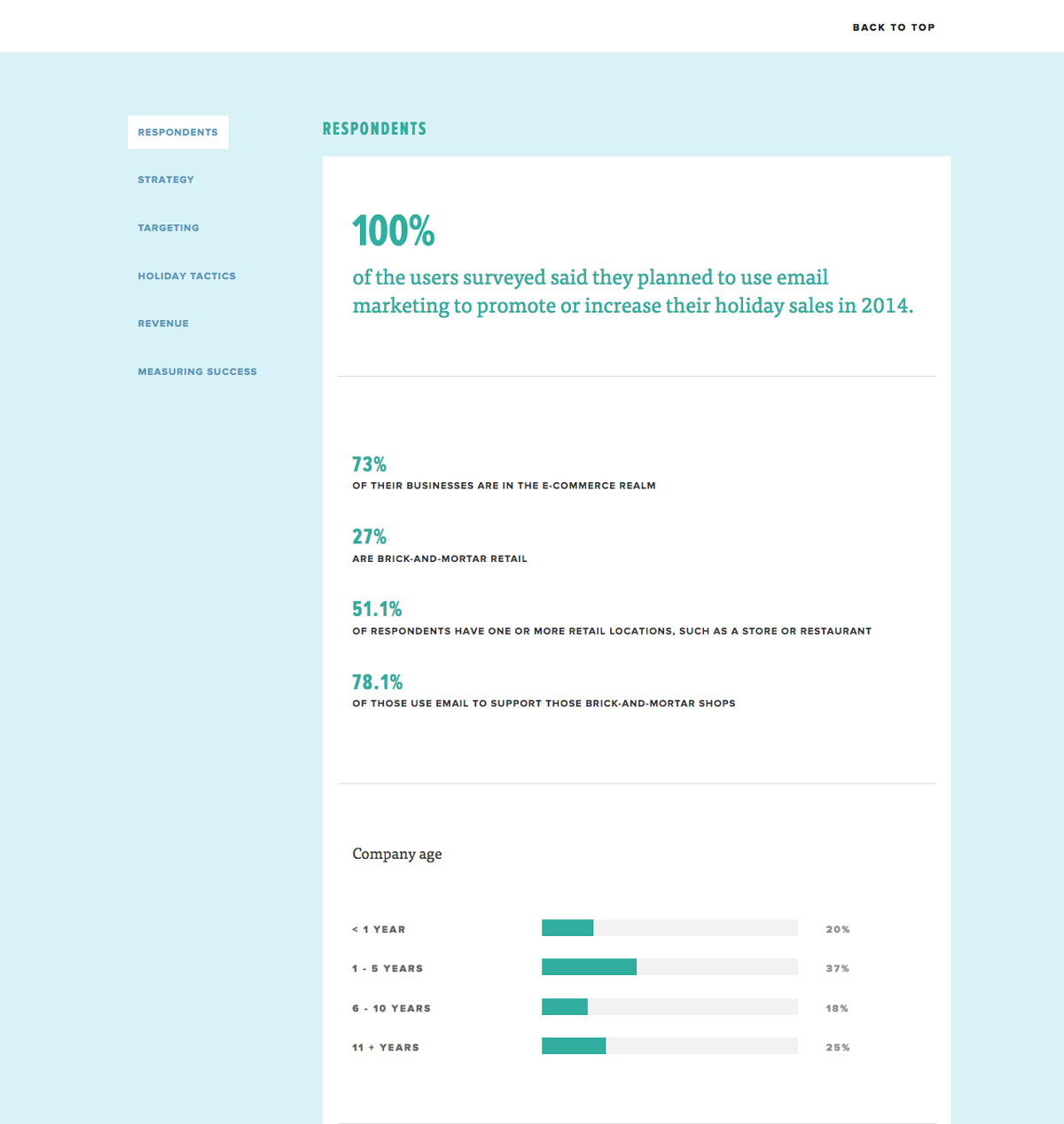
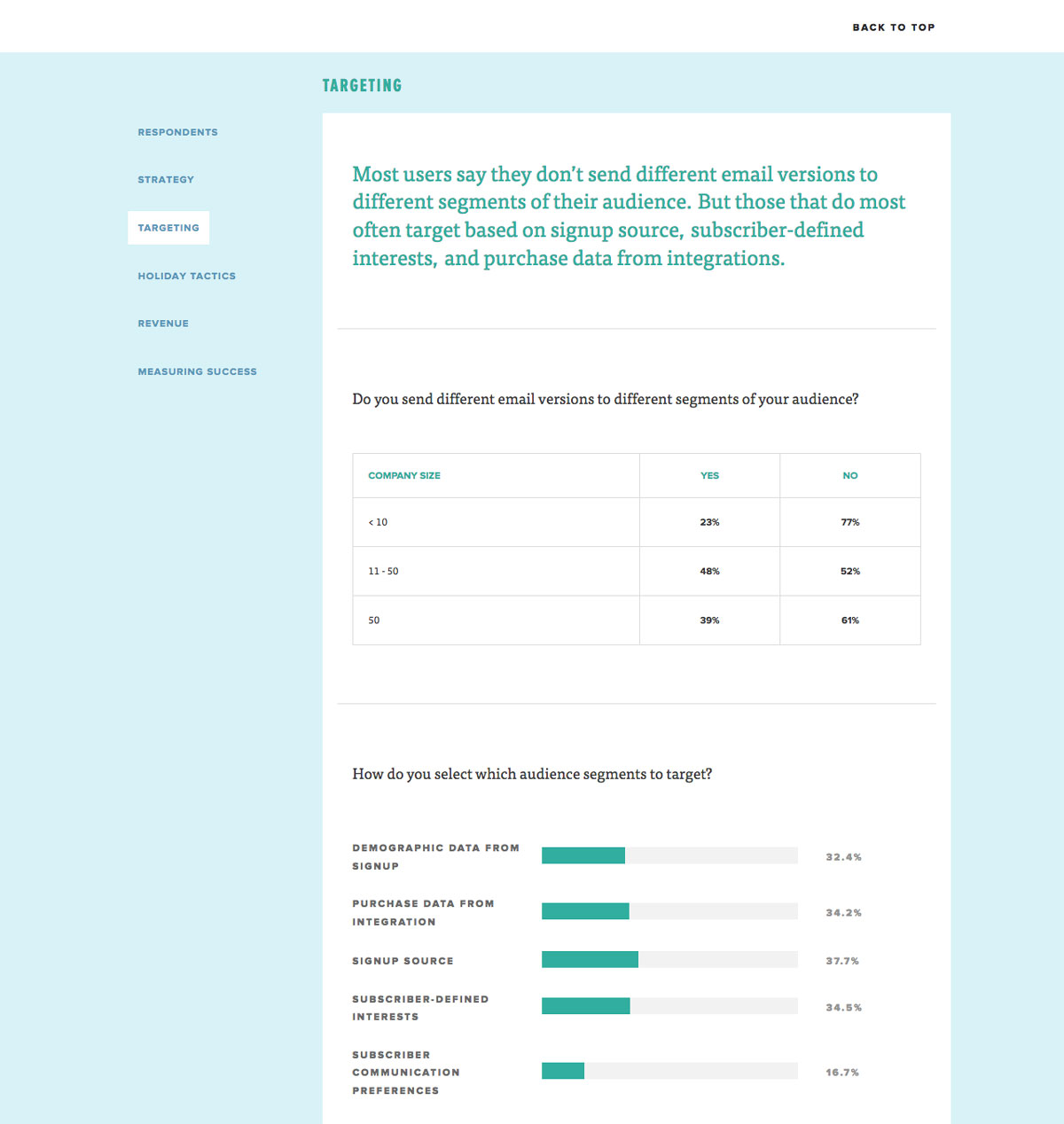
  From time to time, MailChimp’s Customer Research team will survey groups of users for feedback and then analyze the results for trends. This site represents one of those surveys and was built to help display that data in a clear and understandable way.
  <br />
  <br />
  <dl class="lh-title mv2">
    <dt class="dib b">Built with:</dt>
    <dd class="dib ml0">Middleman, HAML, SCSS, and JavaScript</dd>
  </dl>
</div>

<div class="fl pv3 pv3-ns">

  <div class="fr-ns w-100 ml3-l mv3 browser">
    <img alt="Screenshot of the MailChimp Holiday Survey website" src="https://aaronarich.com/assets/mc_holiday_survey/1.jpg" class="w-100" />
  </div>

</div>

<div class="fl pv3 pv3-ns">

  <div class="fl-ns w-100 mv3 browser">
    <img alt="Screenshot of the MailChimp Holiday Survey website" src="https://aaronarich.com/assets/mc_holiday_survey/2.jpg" class="w-100" />
  </div>

</div>

<div class="fl pv3 pv3-ns">

  <div class="fl-ns w-100 mv3 browser">
    <img alt="Screenshot of the MailChimp Holiday Survey website" src="https://aaronarich.com/assets/mc_holiday_survey/3.jpg" class="w-100" />
  </div>

</div>]]></content><author><name>Aaron A. Rich</name></author><category term="projects" /><summary type="html"><![CDATA[Project - MailChimp]]></summary></entry><entry><title type="html">MailChimp Marketing</title><link href="https://aaronarich.com/projects/mailchimp-marketing/" rel="alternate" type="text/html" title="MailChimp Marketing" /><published>2017-08-27T00:00:00+00:00</published><updated>2017-08-27T00:00:00+00:00</updated><id>https://aaronarich.com/projects/mc-marketing</id><content type="html" xml:base="https://aaronarich.com/projects/mailchimp-marketing/"><![CDATA[<div class="fl w-100 w-25-l pt1">
  <dl class="lh-title mt0">
    <dt class="f6 b">Project Role</dt>
    <dd class="ml0">Developer</dd>

    <dt class="f6 b mt3">Art Direction</dt>
    <dd class="ml0"><a href="http://davidsizemoredesign.com/">David Sizemore</a></dd>

    <dt class="f6 b mt3">Design</dt>
    <dd class="ml0"><a href="http://jane-song.com/">Jane Song</a> &amp; <a href="http://www.jasontravisphoto.com/">Jason Travis</a></dd>
  </dl>
</div>

<div class="fr w-100 w-75-l mb0-l mb3">
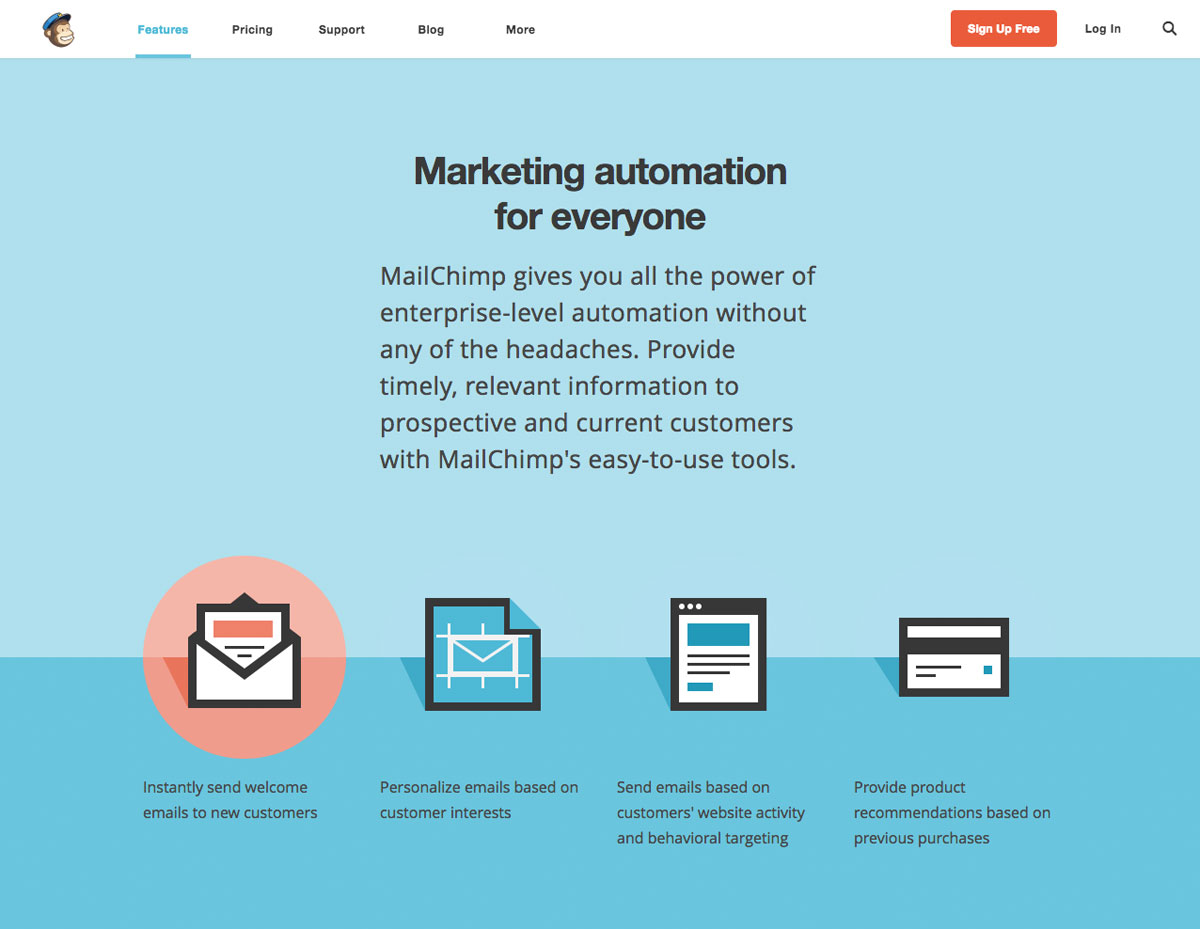
  This is a collection of a few various marketing pages that I built out for the MailChimp marketing website. While each of these pages has a unique objective, the design and development focus was on consistency with using our new pattern library (iconography, colors, and layout) that was launched in 2013.
  <br />
  <br />
  <dl class="lh-title mv2">
    <dt class="dib b">Built with:</dt>
    <dd class="dib ml0">Middleman, HAML, SCSS, PHP, and JavaScript</dd>
  </dl>

  <dl class="lh-title mv2">
    <dt class="dib b">Link:</dt>
    <dd class="dib ml0"><a href="https://mailchimp.com/">mailchimp.com</a></dd>
  </dl>
</div>

<div class="fl pv3 pv3-ns">

  <div class="fr-ns w-100 ml3-l mv3 browser">
    <img alt="Screenshot of the MailChimp Automation website" src="https://aaronarich.com/assets/mc_marketing/1.jpg" class="w-100" />
  </div>

</div>

<div class="fl pv3 pv3-ns">

  <div class="fl-ns w-100 w-25-l pr4-l mv3">
    <h1 class="gradient">MailChimp Automation</h1>
    <p>
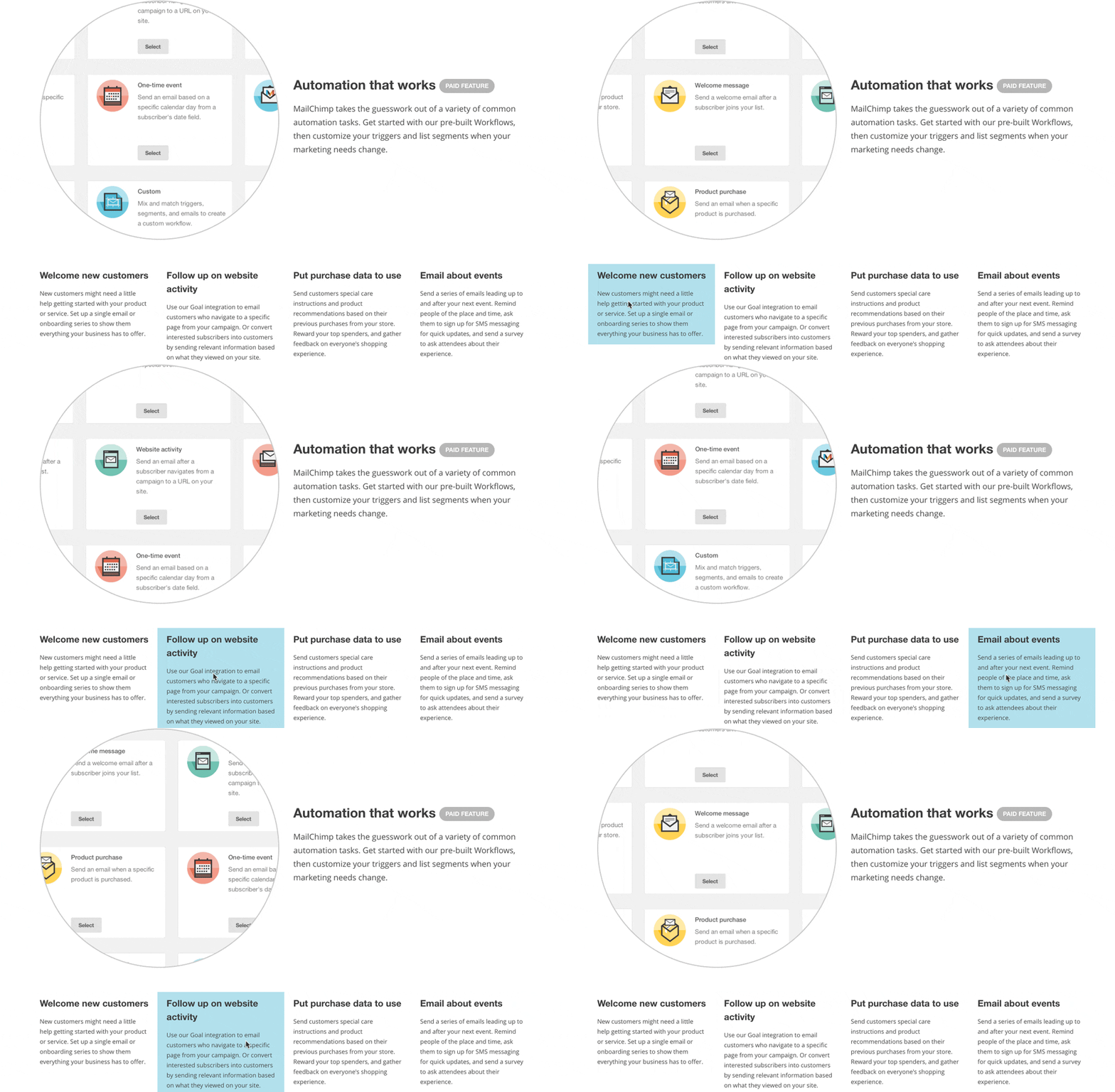
      This landing page was built for our initial roll-out of our email automation features. The page had a few interactive elements to it, with this particular element being used to display some of the various automation recipes as you rolled over their description.
    </p>
  </div>

  <div class="fl-ns w-100 w-75-l mv3 browser">
    <img alt="Screenshot of an interaction on the MailChimp Automation website" src="https://aaronarich.com/assets/mc_marketing/2.gif" class="w-100" />
  </div>

</div>

<div class="fl pv3 pv3-ns">

  <div class="fr-ns w-100 w-25-l pl4-l mv3">
    <h1 class="gradient">MailChimp Research</h1>
    <p>
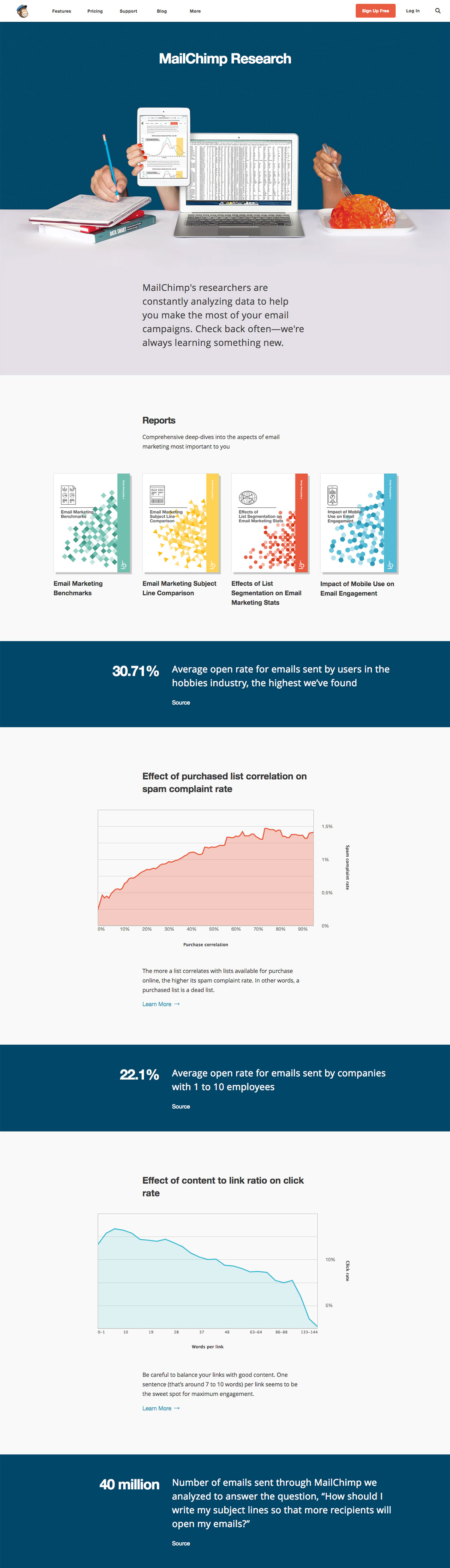
      This page was built to showcase several stats, charts, articles, and research guides put out by our Customer Research team. Using PHP, I created a loop that pulled in recent articles with certain tags from our main WordPress blog.
    </p>
  </div>

  <div class="fl-ns w-100 w-75-l mv3 browser">
    <img alt="Screenshot of the MailChimp Research website" src="https://aaronarich.com/assets/mc_marketing/3.jpg" class="w-100" />
  </div>

</div>

<div class="fl pv3 pv3-ns">

  <div class="fl-ns w-100 w-25-l pr4-l mv3">
    <h1 class="gradient">Press Resources</h1>
    <p>
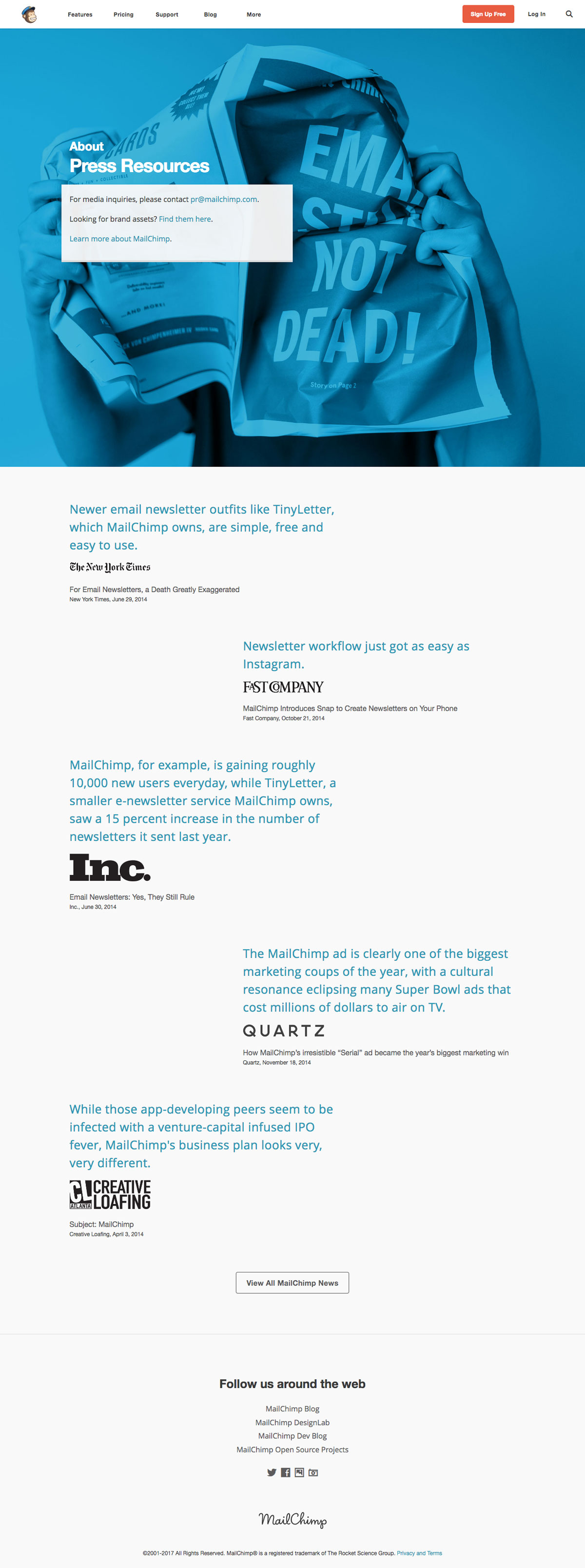
      This landing page was built to showcase some of the most recent and renowned press MailChimp had received. It also contains a running list of recent annual reports and all press releases since 2010.
    </p>
  </div>

  <div class="fl-ns w-100 w-75-l mv3 browser">
    <img alt="Screenshot of the MailChimp Press Resources website" src="https://aaronarich.com/assets/mc_marketing/4.jpg" class="w-100" />
  </div>

</div>]]></content><author><name>Aaron A. Rich</name></author><category term="projects" /><summary type="html"><![CDATA[Project Collection - MailChimp]]></summary></entry><entry><title type="html">The Nom Depot</title><link href="https://aaronarich.com/projects/mailchimp-nom-depot/" rel="alternate" type="text/html" title="The Nom Depot" /><published>2017-08-27T00:00:00+00:00</published><updated>2017-08-27T00:00:00+00:00</updated><id>https://aaronarich.com/projects/nom-depot</id><content type="html" xml:base="https://aaronarich.com/projects/mailchimp-nom-depot/"><![CDATA[<div class="fl w-100 w-25-l pt1">
  <dl class="lh-title mt0">
    <dt class="f6 b">Project Role</dt>
    <dd class="ml0">Developer</dd>

    <dt class="f6 b mt3">Art Direction</dt>
    <dd class="ml0"><a href="https://dribbble.com/seriousron">Ron Lewis</a> &amp; <a href="http://davidsizemoredesign.com/">David Sizemore</a></dd>

    <dt class="f6 b mt3">Photography</dt>
    <dd class="ml0"><a href="http://andrewthomaslee.com/">Andrew Lee</a></dd>
  </dl>
</div>

<div class="fr w-100 w-75-l mb0-l mb3">
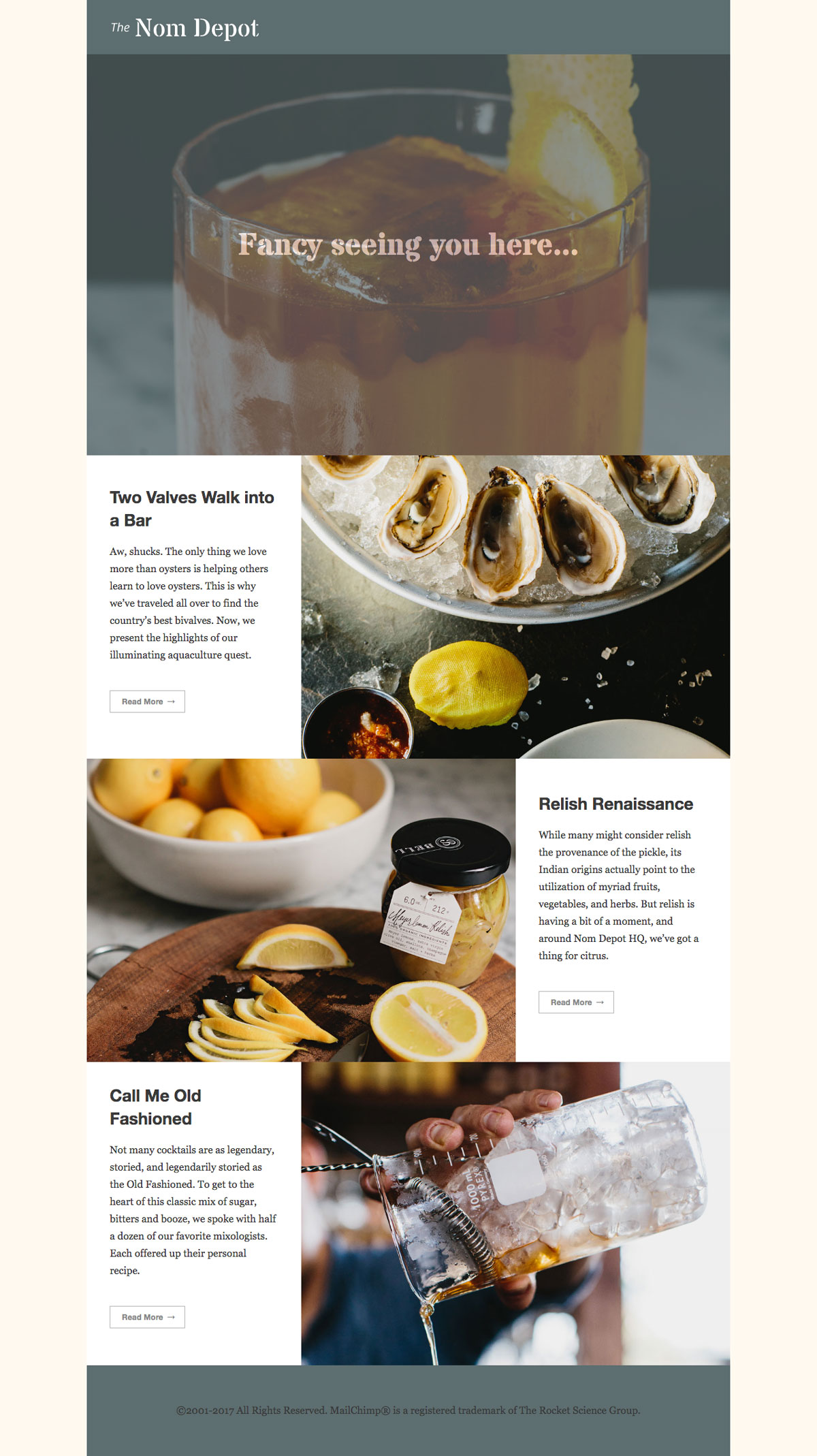
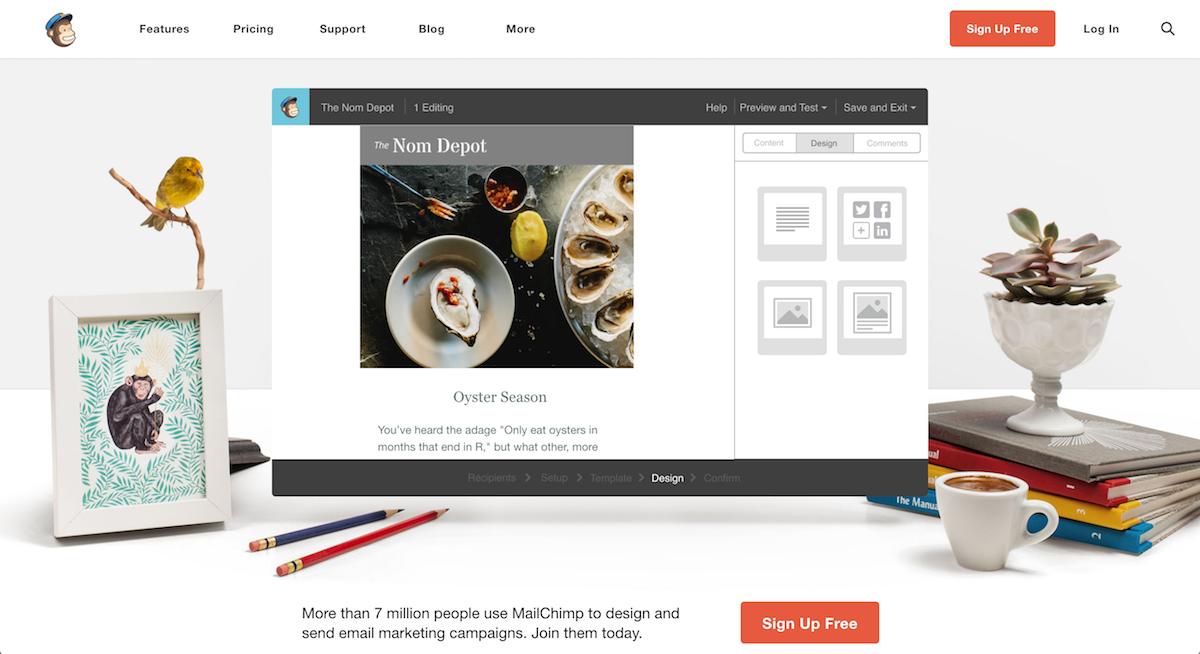
  I built this one-page site as a fun way to represent one of the many “faux brands” that MailChimp’s marketing team referenced in various screenshots throughout the main website. Other brands you may have seen include: Double Double Records, Hem and Hers, and Hathaway University.
  <br />
  <br />
  <dl class="lh-title mv2">
    <dt class="dib b">Built with:</dt>
    <dd class="dib ml0">Middleman, HAML, SCSS, and JavaScript</dd>
  </dl>
</div>

<div class="fl pv3 pv3-ns">

  <div class="fr-ns w-100 ml3-l mv3 browser">
    <img alt="Screenshot of the Nom Depot website" src="https://aaronarich.com/assets/nom_depot/1.jpg" class="w-100" />
  </div>

</div>

<div class="fl pv3 pv3-ns">

  <div class="fl-ns w-100 mv3 browser">
    <img alt="Screenshot of the Nom Depot brand on the main MailChimp website" src="https://aaronarich.com/assets/nom_depot/2.jpg" class="w-100" />
  </div>

</div>]]></content><author><name>Aaron A. Rich</name></author><category term="projects" /><summary type="html"><![CDATA[Project - MailChimp]]></summary></entry><entry><title type="html">The UX Reader</title><link href="https://aaronarich.com/projects/mailchimp-ux-reader/" rel="alternate" type="text/html" title="The UX Reader" /><published>2017-08-27T00:00:00+00:00</published><updated>2017-08-27T00:00:00+00:00</updated><id>https://aaronarich.com/projects/ux-reader</id><content type="html" xml:base="https://aaronarich.com/projects/mailchimp-ux-reader/"><![CDATA[<div class="fl w-100 w-25-l pt1">
  <dl class="lh-title mt0">
    <dt class="f6 b">Project Role</dt>
    <dd class="ml0">Developer</dd>

    <dt class="f6 b mt3">Design</dt>
    <dd class="ml0"><a href="http://jane-song.com/">Jane Song</a></dd>
  </dl>
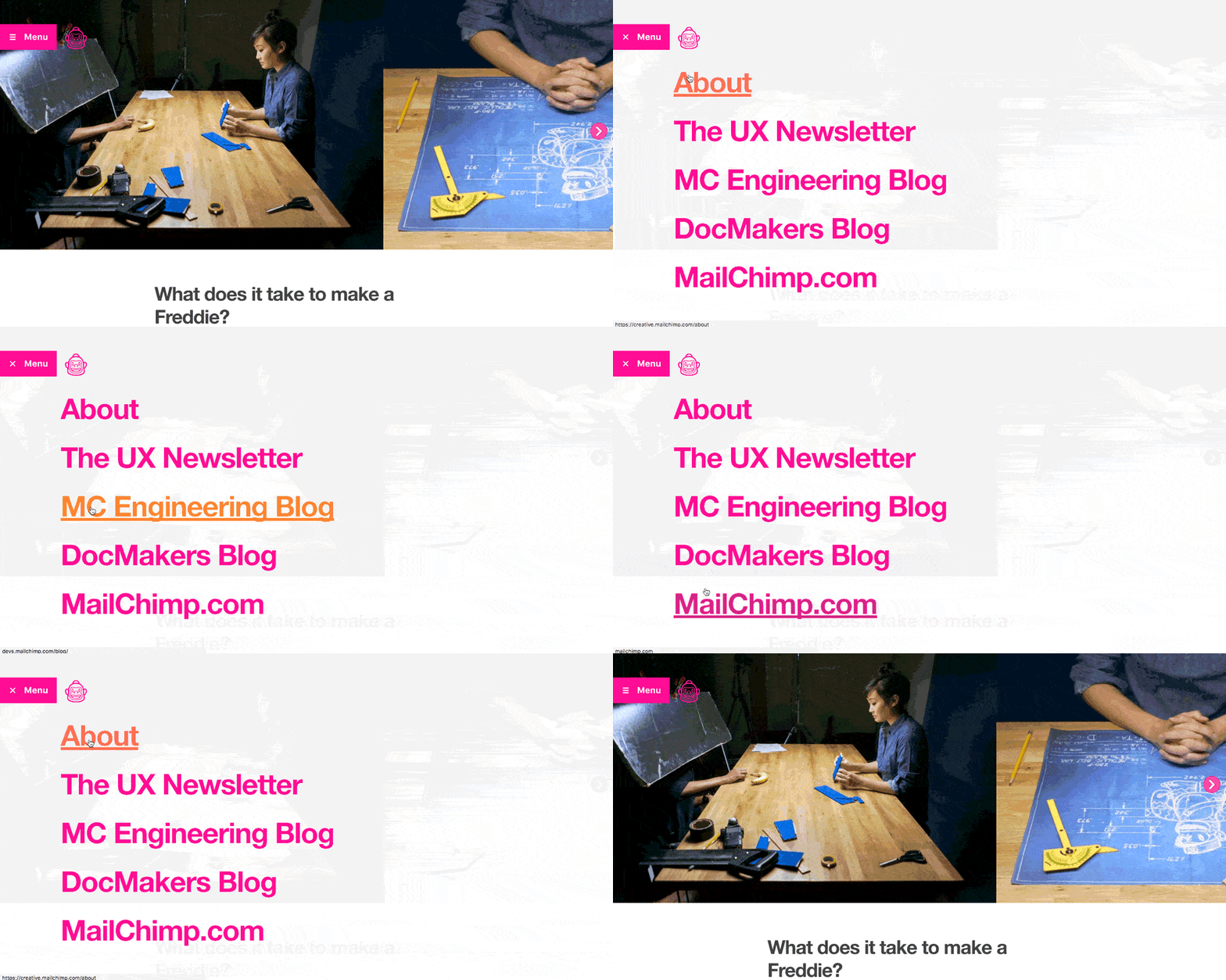
</div>

<div class="fr w-100 w-75-l mb0-l mb3">
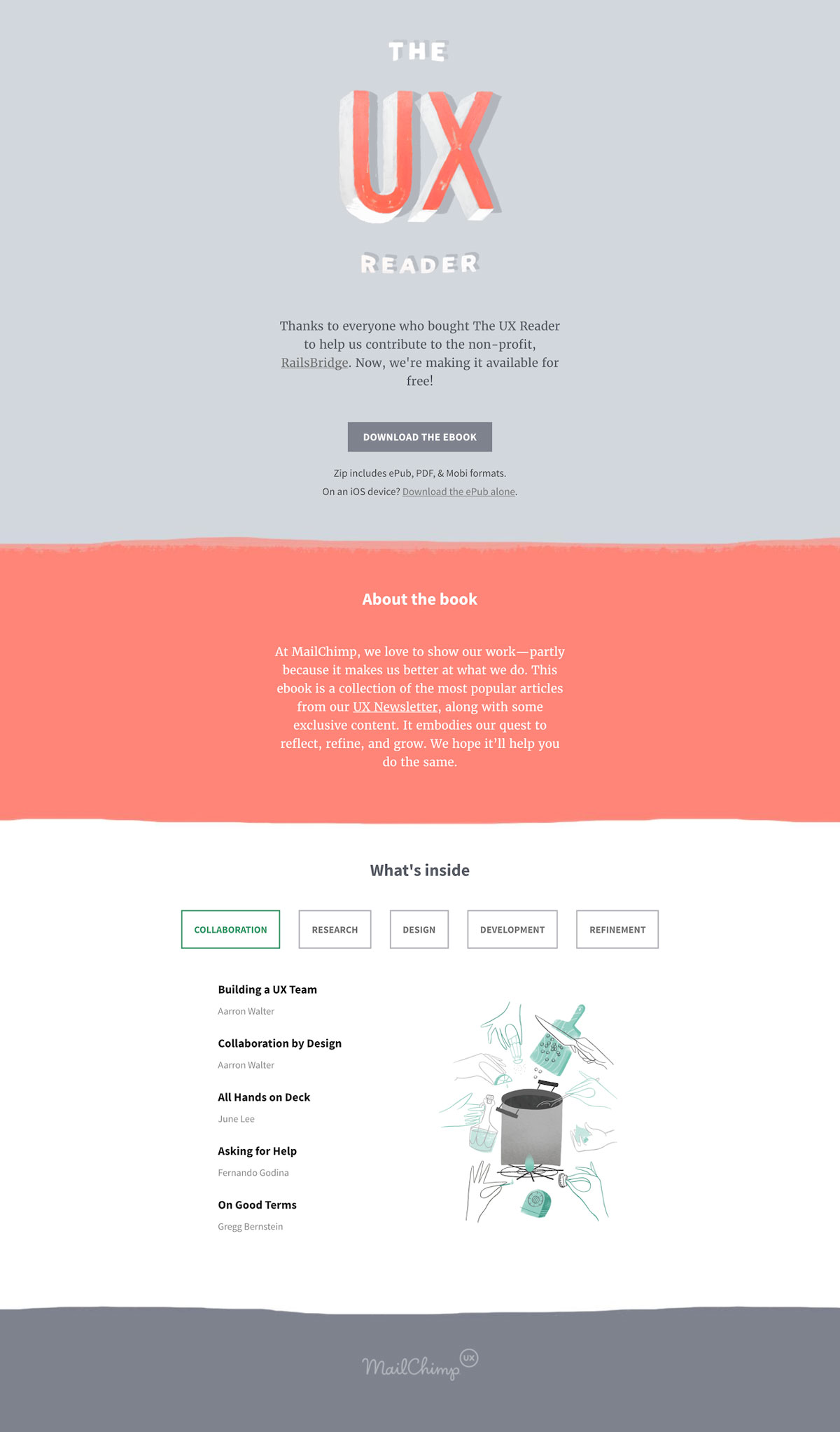
  Built as an extension of MailChimp’s popular UX Newsletter, this site runs on Shopify and originally sold digital copies of The UX Reader to benefit a coding nonprofit called RailsBridge. The book is a compilation of articles and insights written by MailChimp’s User Experience team.
  <br />
  <br />
  The book is still available to download for free here: <a href="http://downloads.mailchimp.com/the-ux-reader.zip">http://downloads.mailchimp.com/the-ux-reader.zip</a>
  <br />
  <br />
  <dl class="lh-title mv2">
    <dt class="dib b">Built with:</dt>
    <dd class="dib ml0">Shopify, HAML, SCSS, and JavaScript</dd>
  </dl>

  <dl class="lh-title mv2">
    <dt class="dib b">Link:</dt>
    <dd class="dib ml0"><a href="https://theuxreader.com/">theuxreader.com</a></dd>
  </dl>
</div>

<div class="fl pv3 pv3-ns">

  <div class="fr-ns w-100 ml3-l mv3 browser">
    <img alt="Screenshot of the UX Reader website" src="https://aaronarich.com/assets/ux_reader/1.jpg" class="w-100" />
  </div>

</div>]]></content><author><name>Aaron A. Rich</name></author><category term="projects" /><summary type="html"><![CDATA[Project - MailChimp]]></summary></entry></feed>